Wi-Fi Weather Display
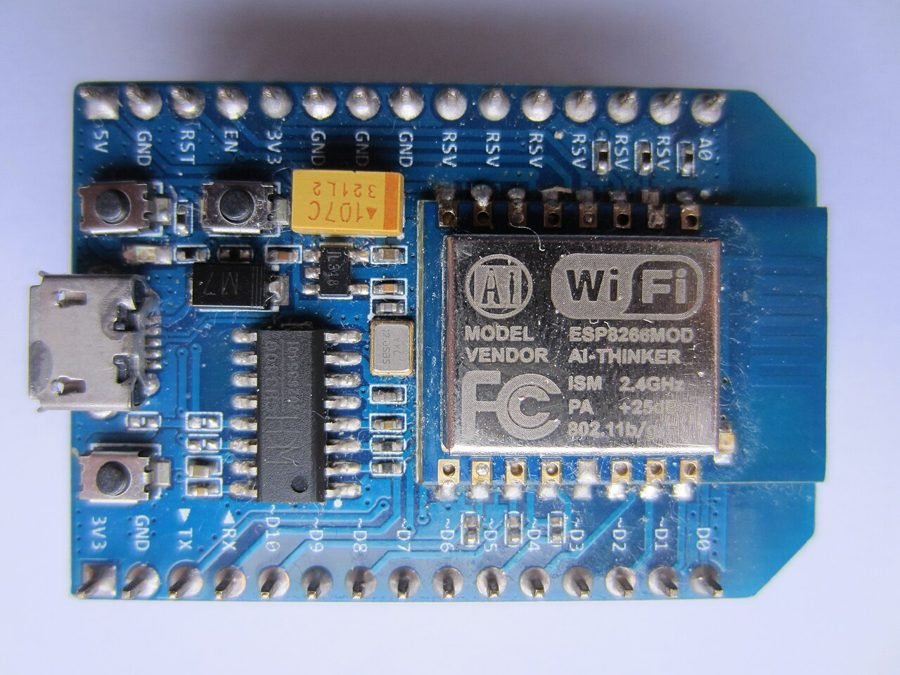
Image: NodeMCU DEVKIT 0.8.JPG by Vowstar via Wikimedia Commons, CC BY-SA 4.0
A physical weather station only reports conditions right where its sensors are; sometimes what's useful is current weather anywhere, without deploying sensors in that location at all.
This project fetches live weather data — temperature, humidity, and conditions — from a free online weather API using an ESP8266 or ESP32's Wi-Fi connection, and displays it on an LCD, refreshed at a regular interval, without any physical temperature or humidity sensor on the device itself.
How It Works
- The ESP8266/ESP32 connects to Wi-Fi and makes an HTTPS request to a weather API (such as OpenWeatherMap) for a chosen city.
- The API responds with weather data in JSON format, which the microcontroller parses to extract temperature, humidity, and condition text.
- The parsed values are shown on an LCD or OLED display, refreshed at a set interval (e.g. every 10 minutes) to keep the current reading up to date.
- Because the data comes from an internet weather service rather than a local sensor, the same device design can show weather for any city, just by changing the API query location.
Components
ESP8266 or ESP32
16x2 LCD or OLED display
Weather API access (e.g. OpenWeatherMap free tier)
Power supply
Applications
- Desk or wall-mounted weather display for any city
- Teaching API integration and JSON parsing on embedded hardware
- Travel/remote-location weather dashboards
Advantages
- No physical weather sensors needed, works for any city with internet access
- Simple to reconfigure for a different location
- Demonstrates real-world API integration on embedded hardware
Sample Code — Fetching and Displaying Weather Data
// Simplified weather API fetch - ESP8266 #include#include void setup() { Serial.begin(9600); WiFi.begin("SSID", "PASSWORD"); while (WiFi.status() != WL_CONNECTED) delay(500); } void loop() { HTTPClient http; http.begin("http://api.openweathermap.org/data/2.5/weather?q=Thiruvananthapuram&appid=YOUR_KEY&units=metric"); int code = http.GET(); if (code == 200) { String payload = http.getString(); // parse JSON for "temp" and "humidity", show on LCD/OLED Serial.println(payload); } http.end(); delay(600000); // refresh every 10 minutes }
Related Research
- Designing ESP8266 Weather Station Using OpenWeatherMap — EngineersGarage (build guide)
Hours
Monday - Saturday: 9:00 AM - 5:00 PM
Sunday: Not Working
Location
2nd Floor, Comptron Arcade, Kallattumukku,
Thiruvananthapuram, Kerala 695012
Book Now
+91 9633118080