Bluetooth-Controlled RGB Light
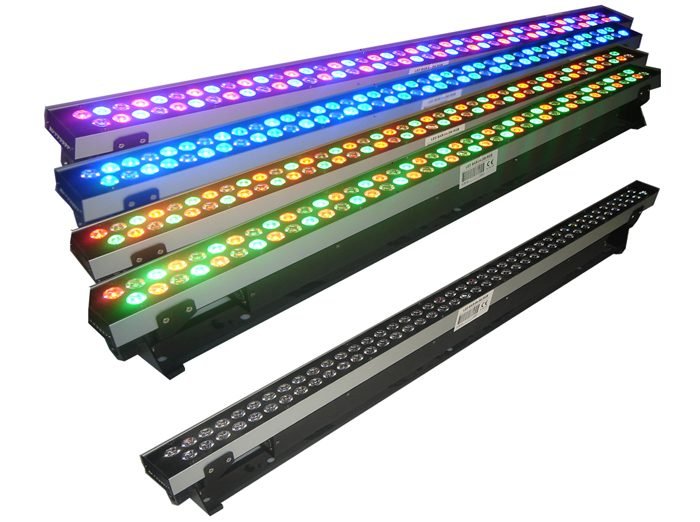
Image: RGB 84watt LED wall wash 1.jpg by Graceluk via Wikimedia Commons, Public domain
Decorative RGB lighting is common, but most affordable options offer only a handful of preset colors through a physical remote; a smartphone-controlled system opens up full custom color and brightness control instead.
This project pairs an Arduino with a Bluetooth module (HC-05) and an RGB LED strip, letting a smartphone app pick any color and brightness level, sent wirelessly and applied to the lighting in real time.
How It Works
- A smartphone app sends color values (red, green, blue intensities, 0-255 each) over Bluetooth as the user picks a color on a color wheel or slider.
- The Arduino receives these values through the HC-05 module over serial.
- PWM output on three pins drives the RGB LED strip's red, green, and blue channels at intensities matching the received values, blending to produce the selected color.
- Brightness is controlled by scaling all three channel values proportionally before writing them out.
Components
Arduino Uno/Nano
Bluetooth module (HC-05)
RGB LED strip (common-cathode or addressable WS2812B)
MOSFET drivers (for a non-addressable strip needing more current than Arduino pins supply)
Smartphone app (custom or generic Bluetooth RGB controller app)
Applications
- Decorative room and accent lighting
- Mood lighting for events or home theaters
- Teaching PWM-based color mixing
Advantages
- Full custom color range instead of a handful of remote presets
- Simple, low-cost Bluetooth control without needing Wi-Fi/cloud setup
- PWM color mixing is a directly transferable embedded systems skill
Sample Code — Bluetooth RGB Color Control
// Simplified Bluetooth RGB control - Arduino
int redPin = 9, greenPin = 10, bluePin = 11;

void setup() {
  Serial.begin(9600); // HC-05 on Serial
  pinMode(redPin, OUTPUT);
  pinMode(greenPin, OUTPUT);
  pinMode(bluePin, OUTPUT);
}

void loop() {
  if (Serial.available() >= 3) {
    int r = Serial.read();
    int g = Serial.read();
    int b = Serial.read();
    analogWrite(redPin, r);
    analogWrite(greenPin, g);
    analogWrite(bluePin, b);
  }
}
Related Research
- Smart Luminance Control System Using Arduino, Bluetooth, and Android for Energy-Efficient Lighting — ResearchGate
Hours
Monday - Saturday: 9:00 AM - 5:00 PM
Sunday: Not Working
Location
2nd Floor, Comptron Arcade, Kallattumukku,
Thiruvananthapuram, Kerala 695012
Book Now
+91 9633118080