Arduino Game Console
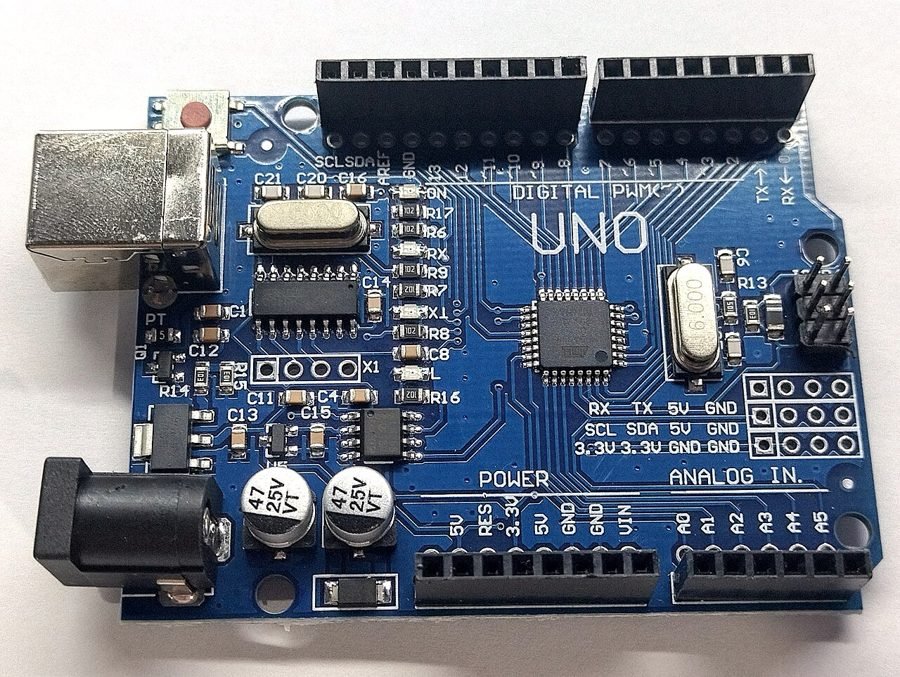
Image: Arduino Uno board.jpg by JrawX via Wikimedia Commons, CC0
Most student microcontroller projects target sensing or automation; a game console instead shows Arduino can drive real-time graphics and user interaction on constrained hardware — a genuinely different, entertainment-focused skill set.
This project builds a handheld console around a small OLED display and a set of push buttons, running simple games like Snake or a Tetris-style block game. It demonstrates pixel-level rendering, game-loop logic, and responsive button input on hardware with no dedicated graphics processor.
How It Works
- An OLED display (SSD1306, I2C) is driven directly by the Arduino, redrawing the game screen frame by frame from a pixel buffer.
- Push buttons wired with pull-down resistors provide directional/action input, debounced in software to avoid false repeated presses.
- A game loop reads input, updates game state (snake position, falling block position, collisions), and redraws only the changed pixels for smooth performance.
- Game speed and difficulty scale by adjusting the loop delay as the game progresses.
Components
Arduino Uno/Nano
0.96" OLED display (SSD1306, I2C)
4-5 push buttons (directional + action)
Buzzer (optional sound effects)
Battery pack + enclosure
Applications
- Educational demonstration of embedded graphics programming
- Portable hobby entertainment device
- Teaching game-loop and collision-detection concepts
Advantages
- Runs entirely offline, on minimal, inexpensive hardware
- Demonstrates real-time rendering and input handling, skills that transfer beyond gaming
- Fully portable, battery-powered handheld form factor
Sample Code — OLED Game Loop Outline
// Simplified game loop - Arduino + SSD1306 OLED #includeAdafruit_SSD1306 display(128, 64, &Wire, -1); int btnUp = 2, btnDown = 3, btnLeft = 4, btnRight = 5; void setup() { display.begin(SSD1306_SWITCHCAPVCC, 0x3C); pinMode(btnUp, INPUT_PULLUP); pinMode(btnDown, INPUT_PULLUP); pinMode(btnLeft, INPUT_PULLUP); pinMode(btnRight, INPUT_PULLUP); } void loop() { display.clearDisplay(); readInput(); // check button states, update direction updateGameState(); // move snake/block, check collisions drawGameState(display); // redraw pixels display.display(); delay(150); // controls game speed }
Related Research
- DIY Handheld Arduino Game Console — Full Build, 10 Games — Circuit Digest (build guide)
Hours
Monday - Saturday: 9:00 AM - 5:00 PM
Sunday: Not Working
Location
2nd Floor, Comptron Arcade, Kallattumukku,
Thiruvananthapuram, Kerala 695012
Book Now
+91 9633118080